

WhatsApp Web is one of the most widely used ways to access WhatsApp on a computer. It allows users to send messages, share files, and stay connected without constantly picking up their phone. But a common concern among users is whether logging into WhatsApp Web is truly safe.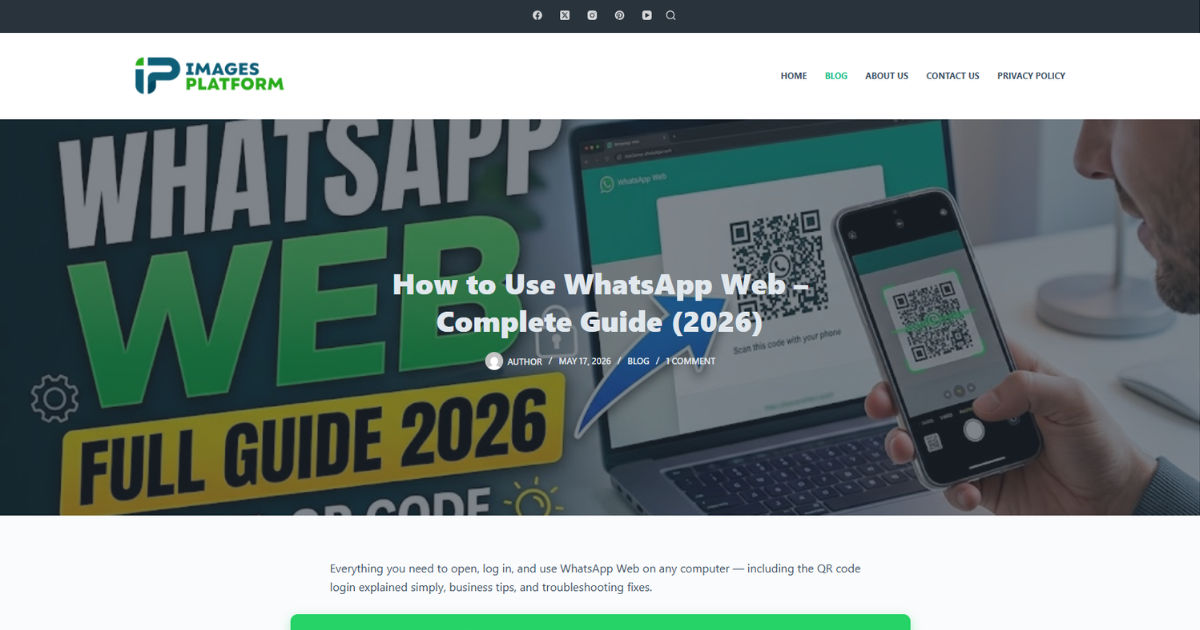
Security matters because your chats often contain personal conversations, photos, documents, and even business information. Understanding how WhatsApp Web login works and what protections are in place can help you use it safely and confidently.
In this guide, we will explore how secure WhatsApp Web is today, what risks exist, and how you can protect your account from unauthorized access.
What Is WhatsApp Web and How Does Login Work?
WhatsApp Web is an extension of the mobile app. It does not create a separate account. Instead, it mirrors your phone’s WhatsApp activity on a browser.
How the login process works
To use it, you must:
-
Open WhatsApp Web in a browser
-
Scan a QR code using your phone
-
Allow the session to sync with your mobile device
Once connected, your phone acts as the “main controller,” and the browser simply displays synced data.
This QR-based system is designed to avoid password-based logins, which are more vulnerable to hacking.
Security Architecture Behind WhatsApp Web Login
WhatsApp Web uses multiple layers of security to protect users.
1. End-to-End Encryption
Messages are protected with end-to-end encryption. This means:
-
Only you and the recipient can read messages
-
WhatsApp itself cannot view message content
-
Data transmitted to the browser remains encrypted
Even if someone intercepts the data, they cannot easily read it.
2. Device Linking System
Instead of usernames and passwords, WhatsApp Web uses linked devices:
-
Each session is tied to a secure QR handshake
-
Your phone must approve the connection
-
Sessions remain active only while your phone is connected
This reduces risks of remote unauthorized logins.
3. Session Control from Mobile Device
Your phone controls all active WhatsApp Web sessions. You can:
-
See all connected devices
-
Log out from any device instantly
-
Monitor login history
This gives users direct control over security.
How Safe Is WhatsApp Web Login in 2026?
Overall, WhatsApp Web login is considered highly secure, but not risk-free.
Why it is secure
-
Strong encryption protects messages
-
No passwords to steal
-
Phone-based authentication is required
-
Real-time session monitoring is available
Where risks still exist
Despite strong security, vulnerabilities can occur due to user behavior:
-
Leaving WhatsApp Web logged in on shared computers
-
Scanning QR codes on fake websites
-
Malware or spyware on your computer
-
Unauthorized physical access to your phone
Security depends not only on the system but also on how carefully you use it.
Common Security Risks You Should Know
1. Unauthorized Device Access
If you forget to log out from a public or shared computer, someone else may access your chats.
2. Phishing QR Codes
Hackers may trick users into scanning fake QR codes that link to malicious sessions.
3. Malware on PC
If your computer is infected, attackers may capture screen data or session cookies.
4. Phone Compromise
Since your phone controls WhatsApp Web, if your phone is hacked, all linked sessions are at risk.
How to Check Active WhatsApp Web Sessions
You can easily monitor where your account is logged in.
Steps:
-
Open WhatsApp on your phone
-
Go to “Linked Devices”
-
View all active sessions
-
Check device type, location, and last activity
If anything looks suspicious, you can log out immediately.
Best Practices to Keep WhatsApp Web Login Secure
1. Always Log Out After Use
Especially on:
-
Public computers
-
Shared laptops
-
Office systems
2. Enable Phone Lock Security
Use:
-
Fingerprint lock
-
Face unlock
-
Strong passcode
This prevents unauthorized access to your WhatsApp app.
3. Avoid Scanning Unknown QR Codes
Only scan QR codes from the official WhatsApp Web page. Fake pages can steal your session.
4. Keep Your Browser Updated
Outdated browsers may contain vulnerabilities that hackers can exploit.
5. Use Antivirus Protection
A good antivirus program can help detect malware that might try to intercept your sessions.
6. Regularly Review Linked Devices
Make it a habit to check your active sessions weekly.
Is WhatsApp Web Safer Than Other Messaging Web Apps?
Compared to many messaging platforms, WhatsApp Web is considered more secure because:
-
It uses end-to-end encryption by default
-
It does not rely on passwords for login
-
It requires physical access to your phone for authentication
However, no system is 100% safe if the user makes mistakes.
What Happens If Someone Hacks WhatsApp Web?
If an attacker gains access:
-
They can read your messages in real time
-
They may send messages pretending to be you
-
They can access shared media and files
However, they still cannot:
-
Access your past encrypted backups (without additional access)
-
Change your main WhatsApp account password (since there isn’t one)
-
Log you out permanently if you remove their session
You can stop them instantly by removing the device from Linked Devices.
Future of WhatsApp Web Security
WhatsApp continues improving security with:
-
Multi-device encryption improvements
-
Better session monitoring tools
-
More secure authentication methods
-
Reduced dependency on phone connectivity
Future updates are expected to make WhatsApp Web even more independent yet secure.
Conclusion
WhatsApp Web is generally a secure platform due to its strong encryption, QR-based login system, and device-level session control. It does not rely on traditional passwords, which reduces many common hacking risks.
However, its security still depends heavily on user behavior. Leaving sessions open on public devices, scanning unknown QR codes, or ignoring linked device checks can expose your account to risks.
In simple terms, WhatsApp Web login is safe when used responsibly. It combines strong built-in protection with user-controlled security tools, making it one of the more secure messaging web systems available today.
If you stay alert, regularly monitor your sessions, and follow basic safety habits, you can use WhatsApp Web with confidence.